
Table of Contents[Hide][Show]
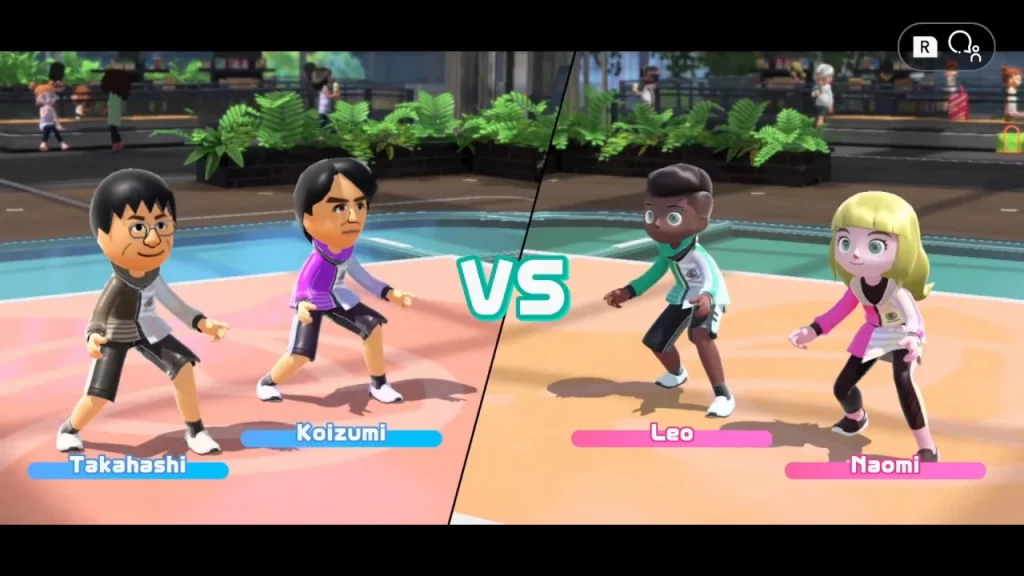
When Nintendo Switch Sports was first shown off, many fans were happy to see that Miis would be making a return to gaming following their other limited time in the spotlight in other Switch titles like Super Smash Bros. Ultimate, Mario Golf: Super Rush, and Miitopia. When loading up the game, however, it seems to push the player in the direction of using the new avatars made specifically for Switch Sports.
While the new Mii designs (if they even are new Miis) made for Switch Sports aren’t bad, fitting the art direction of the game, many players picking up the game are looking to relive the Wii Sports experience by playing as themselves and opting out of the severely limited Switch Sports character creator.
If you want to play as Miis, you’re going to have to start by making some.
How to Make Miis on the Switch
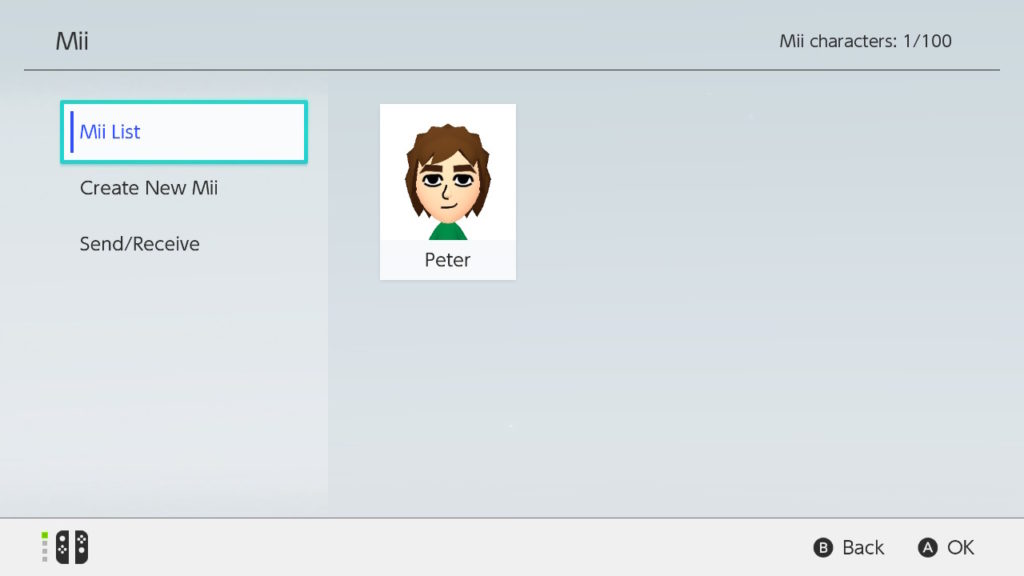
Making a Mii on the Switch is really simple, but, weirdly enough, the option to do so is buried in the system’s menus.
- Head to the Switch’s System Settings at the bottom of the home screen.
- Scroll all the way down to the Mii tab.
- Select “Create/Edit a Mii.”
From there, you’re able to create a brand new Mii in the same fashion as the Mii creator from the Wii back in the day. You can edit the Miis you’ve created and even send created Miis to other Switches that are in the area if you’re looking to skip the creation process and get straight to playing Switch Sports.
How to Play as a Mii in Switch Sports
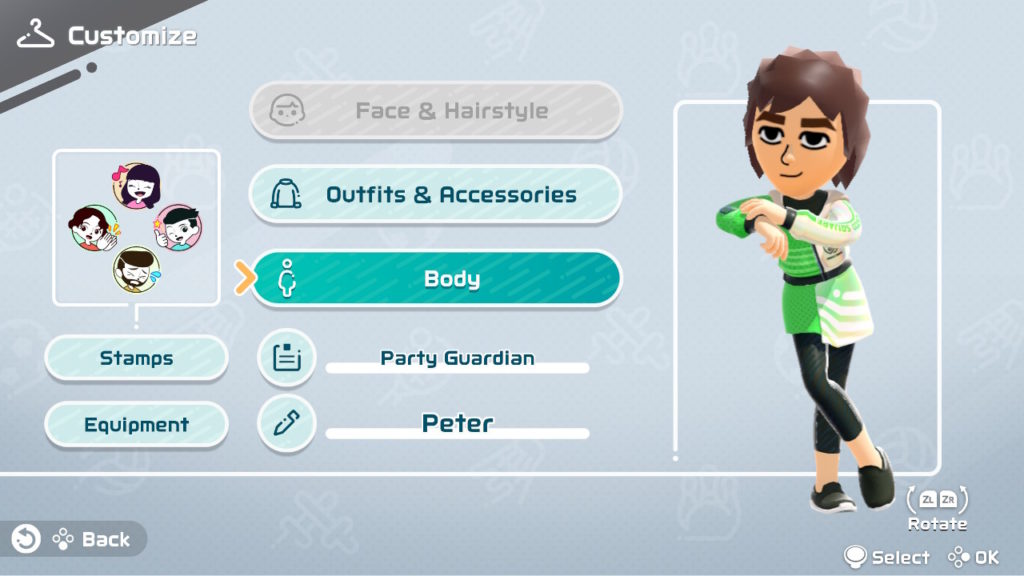
With your Mii created, you’re ready to play as it in Switch Sports. There are a few different ways to get to the customization menu, but the directions listed below are simply the quickest.
- Start the game and select whichever mode of play you’re looking for: “Globally,” “Locally,” or “With Friends.”
- Select the “Customize” option represented by a clothes hanger in the bottom right corner of the screen when looking at the games list.
- Choose which user you want to customize.
- Select the “Body” customization setting.
- Choose “Select Mii” and then choose the Mii you want to play as.
With a Mii selected, you can’t do any in-game customization other than which outfit they wear, so if you’re looking to change something about their face, you’ll need to do it in the Mii settings found in your Switch’s System Settings.
Now that you’ve got your Mii selected, hit the bottom button (B for the right Joy-Con, down for the left) and you’re good to start playing Switch Sports as your favorite Mii.








