

The English version of Enderal, one of the most highly-anticipated total-conversions for The Elder Scrolls V: Skyrim, has finally arrived from the indie developers at SureAI. This massive mod adds 30-100 hours of quests, whole new regions to explore, and a dark, inventive story.
And it’s all free — so long as you can download and install this impressive mod. It isn’t like other mods, and there’s a little bit extra involved to get the game working. Check out all the steps below and dive into the world of Enderal.
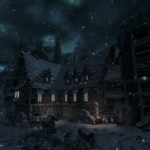
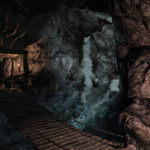
Voted “Top Upcoming Mod of 2014” on ModDB and sequel to Nehrim, PC Gamer’s “Mod of the Year 2010”, Enderal features a wide variety of changes. The gameplay has been over-hauled, with changes to your progression, combat, and an additional layer of survival mechanics. Hand-crafted cities and new locations like jungles and deserts alter the familiar Skyrim scenery, and you’ll even get your own house to design.
How to Download
Enderal (the English version) can be downloaded from any of the following mirrors. To use the Torrent Mirror, make sure you have a torrent client installed.
- Download Installation Package – NexusMods.com
- Download Installation Package – ModDB.com
- Download Installation Package – Torrent Mirror
The Torrent Mirror is (currently) the fastest method to download Enderal.
How to Install
Unlike other mods, Enderal is a total-conversion and replaces Skyrim. Once you have downloaded the game files, you’ll need to download the launcher next.
Run the launcher — make sure you select to create a backup of your Skyrim directory.
WARNING: If you do not make a backup, you’ll lose all mod / save files for Skyrim.
The launcher will download / copy the Installation Package (downloaded above from NexusMods.com, ModDB.com, or torrent) and allow you to get any updates. You can also use the launcher to uninstall Enderal or restore Skyrim.
Now that you have the Launcher and Installation file, here is how to install Enderal:
- Place the Launcher.exe in the Skyrim installation directory.
- Example: C:/Users/#YourName#/Program Files (x86)/Steam/SteamApps/Common/Skyrim
- Start the Launcher
- Select “Install Enderal Now”
- Select the Installation Package file / The Installer will automatically locate this file.
- Installation will begin.
If there are any updates, select the “Update” button on the installer. It will automatically download and install the latest version of Enderal.














How to Uninstall Enderal / Restore Skyrim
Ready to go back to vanilla Skyrim? The Enderal total-conversion completely replaces Skyrim, so if you’re eager to play Bethesda’s fantasy RPG, you’ll need to restore Skyrim on your HD. Here’s how to do it.
- Start the Launcher
- Select “Change Installation”
- Select “Uninstall Enderal”
- Choose to Delete Enderal (Removes Enderal Completely)
- Choose to Archive Enderal (Moves Enderal files and restores Skyrim)
- From the Enderal Installer, you can easily switch from Skyrim to Enderal, or Enderal to Skyrim.
That’s everything you need to know to get started. Enjoy the biggest and most robust mod for Skyrim yet.
Skyrim Mods & Enderal
Skyrim Mods will not carry over to Enderal. That includes any additional weapons or changes. Skyrim DLC is not included, and no DLC is required to play Enderal. Only mods specifically designed to work with Enderal should be installed.
- Enderal uses its own master file (ESM) — this is totally unique and separate from Skyrim’s master file. Unlike other Skyrim mods that add-on to the file, Enderal replaces it completely. That’s why the launcher asks to create a back-up of your Skyrim installation files.
Source: [1]