
Table of Contents[Hide][Show]
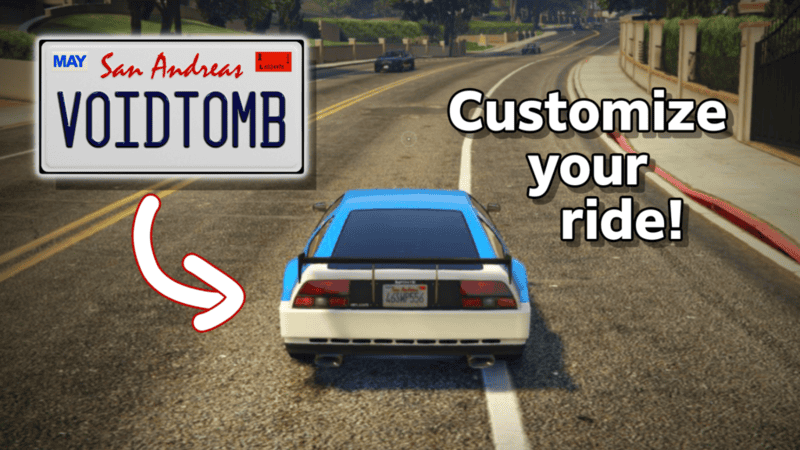
There’s nothing more that a car lover enjoys more than being able to tailor an already beautiful vehicle to their specific taste, bringing out the most in that model. We’ve covered before how GTA Online players can take a few cars’ customization to a different level by going to Benny’s Original Motorworks, found here, so today we want to cover another way you can make a car yours in a special way. License plate customization. You may be aware or even have noticed other player’s cars with unique license plates and have been curious how it’s done. Below we’ll show you how you can add this touch to your special ride as well!
How Do I Customize my License Plate?
Before you start on your license plate customization journey, you’re going to want to make sure the car you want to apply the custom license plate to is out or recently driven in the game. This will make it easier to choose from on the Rockstar site later on.
Now in order to make and order a custom plate for your in-game car, you will need to visit the Rockstar website. Specifically you will need to go to https://www.rockstargames.com/gta-online/license-plates or can google “gta online license plate creator” or something similar, where the first link will typically be the Rockstar website link to the creator.
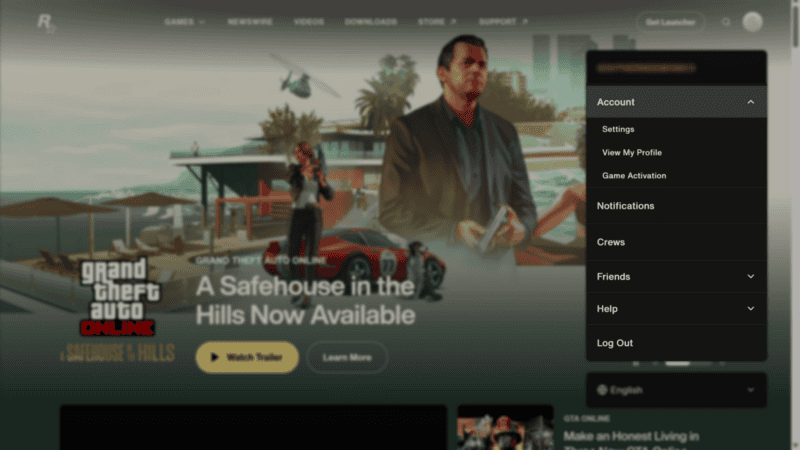
From here, you will need to have a Rockstar Social Club account that is linked to your game file to log into once you are on the site. To check and see if your account is linked to your game profile;
- Sign into the Social Club through the Rockstar website.
- Click on your icon in the top right corner for a drop down menu.
- Click on Account for another drop down menu and select Settings.
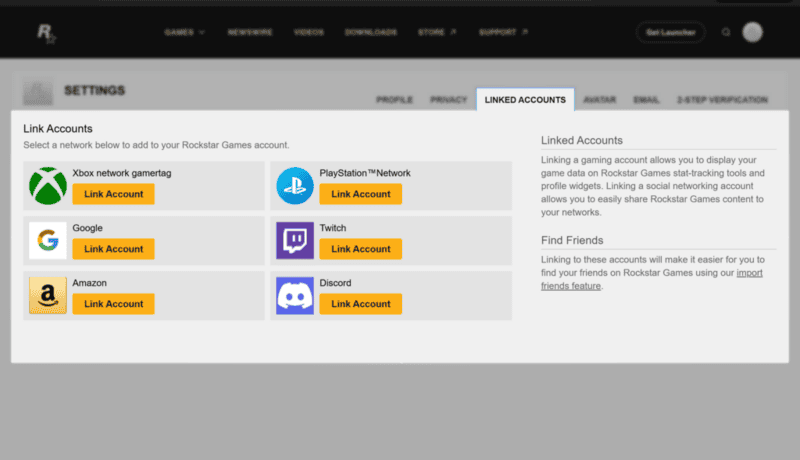
- From there, click the Linked Accounts tab. This will display all the connected PlayStation, Xbox, Steam, or Epic Games accounts you have.
- If yours isn’t there, link your account that is tied to the GTA Online profile by selecting whichever platform you play it on and sign in.
After you are signed in, now you can get to creating! Click New Order to get started!
You will be greeted with a space to put in your custom word you want tied to your car along with multiple choices of backgrounds for your plates. You are limited to 8 characters that you can type out, both letters and numbers.
As with any other naming creations in the game, words deemed offensive will not be allowed, so be careful, even if you use creative workarounds. No plate is worth potentially getting banned for!
As you decide, a 3d or 2d recreation will update on the right side of the screen, portraying how the plate will look in the game. You can also see how the plate will look on a car itself by toggling the view in the bottom right. This is just an example car, so don’t panic if the car you want it on is not the one shown!
Once you are pleased with the plate you want, click Next at the bottom, where you will be taken to where you now can choose your car. In the drop down menu, select the car you want the plate to be assigned to. Here is where having the car out in the game comes into play. Having it out or recently driven will put it on the list of choices. Otherwise you can’t be sure it will be on the list.
Click Place Your Order.
How do I Apply the Plate in the Game?

With the order placed, now return your attention to the game. Load into a new live session where a pop-up should appear on the screen notifying you to drop by Los Santos Customs to fulfill your order.
Hop inside the chosen car and make your way to the Los Santos Customs, and drive it into the opening garage.
From here, choose Process Order and pay the $600.
Another option to make your ride even more unique and special, we hope to see your fun custom plates on the servers. Happy customizing!





