
• Skip to main content
  • Skip to header right navigation
  • Skip to site footer
Gameranx

Gameranx

Video Game News, Lists & Guides

  • News
  • Features
  • Platforms
    • Xbox Series X
    • PS5
    • Nintendo
  • Videos
  • Upcoming Games
  • Guides

Xbox One Updates Lets Everyone Purchase Backwards Compatible Games

March 23, 2016 by Dennis Patrick

Microsoft is releasing several preview features to Xbox One owners.

Xbox One
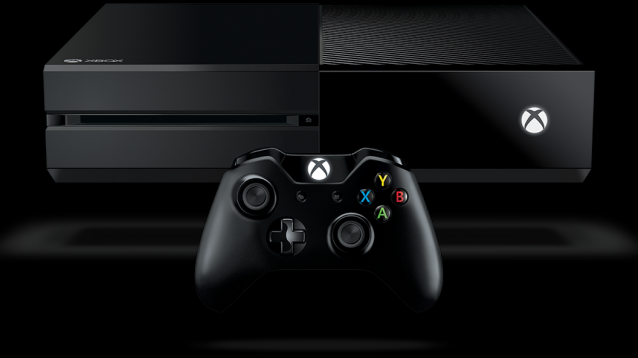
A new update has been released from Microsoft to their latest console release, the Xbox One, according to a post by Major Nelson. This update will bring in a feature that several gamers have been waiting for, the ability to purchase backwards compatible Xbox 360 video games. Furthermore, there has been a few new additions brought onto the Xbox One as well.

The main center focus so far for with this latest preview features update is that all Xbox One users are now given the ability to purchase Xbox 360 backwards compatible video games. This will finally let gamers go back and enjoy some of their favorite past video games along with those who may have missed out on owning a Xbox 360 console.

Microsoft also added the ability to increase the Party size on the Xbox One to a total of sixteen individuals. With the increased Party size, gamers are now able to stream their Party Chat on Twitch.

Xbox Elite controller owners will now see a slightly improved thumbstick precision, particularly when a gamer is moving the thumbstick diagonally. After hearing some feedback on the controller, the development team went back and worked on the software to more accurately measure the distance moved with the thumbstick on their Xbox Elite Wireless Controllers, giving gamers an even greater control over their characters in-game.

Xbox Accessories App was also updated for Windows 10 which will now display a page featuring the current firmware version, battery status, along with other details about the controller.

Lastly, a new command will allow gamers to take a screenshot during gameplay. Gamers will simply have to say “Xbox, take a screenshot” for this command to activate.

Share this post:

FacebookTwitterLinkedInPinterest

Recent Videos

Metroid Prime 4: Beyond - Before You Buy

Metroid Prime 4: Beyond - Before You Buy

ROUTINE - Before You Buy

ROUTINE - Before You Buy

10 Upcoming FPS Games That LOOK INSANE

10 Upcoming FPS Games That LOOK INSANE

Red Dead Redemption (PS5 Switch 2) - Before You Buy

Red Dead Redemption (PS5 Switch 2) - Before You Buy

This Game Wants To Be SKYRIM 2 Before Elder Scrolls 6

This Game Wants To Be SKYRIM 2 Before Elder Scrolls 6

Marvel Cosmic Invasion - Before You Buy

Marvel Cosmic Invasion - Before You Buy

Top 25 BEST PS5 Games of 2025

Top 25 BEST PS5 Games of 2025

10 WEIRD GAMING Stories of November 2025

10 WEIRD GAMING Stories of November 2025

DESTINY 3 LEAKED, CONSOLE PRICES GOING UP AGAIN? & MORE

DESTINY 3 LEAKED, CONSOLE PRICES GOING UP AGAIN? & MORE

Category: UpdatesTag: Microsoft, Xbox, Xbox One

Sidebar

Recent Posts

  • GTA 6 Fans Discuss The Places In-Game They Want To Explore The Most
  • Epic Games Store Has A Special Mystery Giveaway For You During The Game Awards
  • How Many Gamers Have Truly 100% Completed Borderlands 4?
  • Todd Howard Invited the Obsidian Team To See Fallout Season 2 New Vegas Set
  • GTA 6 Fans Once Again Attempt To Predict “Timeframe” For What Comes Next

Copyright © 2025 · Gameranx · All Rights Reserved · Powered by Mai Theme

