
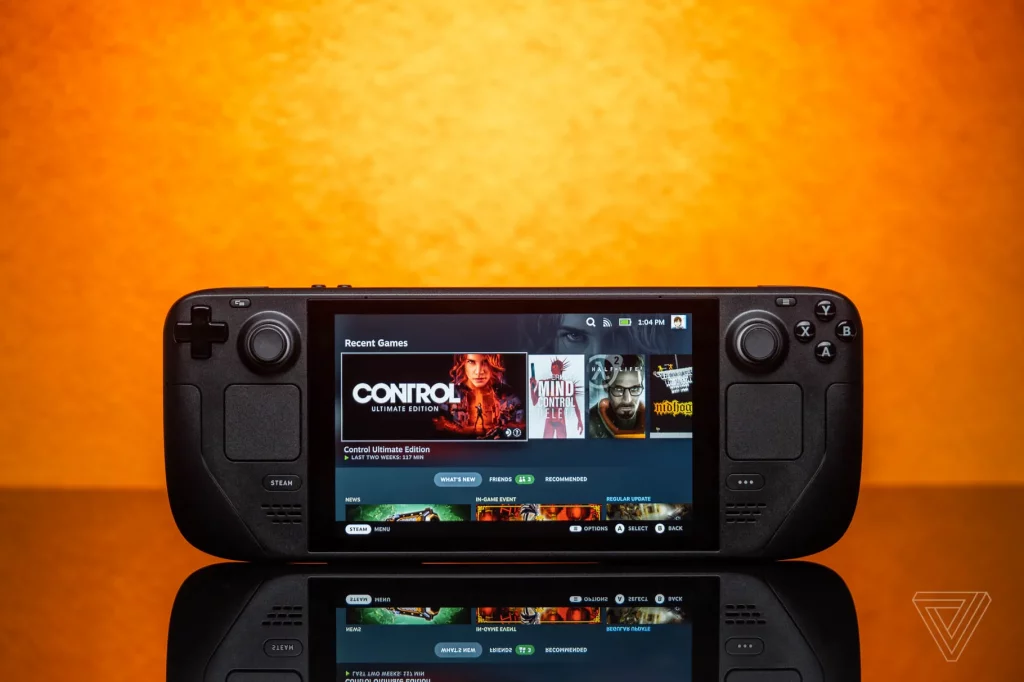
The Steam Deck has been released now for a couple of weeks, and players are still figuring out what the device is capable of. Well, thanks to a new announcement from Microsoft, players will have more reason to pick up Valve’s handheld gaming PC.
It seems as though Valve and Microsoft are teaming up to better the Steam Deck, with Xbox Cloud Gaming now being supported through the device’s Edge browser.
“We worked closely with Valve and the Xbox Cloud Gaming team to bring support for Xbox Cloud Gaming (Beta) with Xbox Game Pass Ultimate through Microsoft Edge Beta for the Steam Deck,”
Missy Quarry, Community Manager for Microsoft Edge
“We’re particularly excited about this ourselves as we feel it can open new opportunities in the Linux gaming community.”
Of course, it’s not as simple as just loading up an app on the Steam Deck itself – there are a few steps needed in order to get it to work. It’s not quick but it’s not overly complicated.
Here are the steps in short:
- Load Discover Software Centre from Desktop Mode.
- Install Microsoft Edge (the icon will say “Beta”).
- Find Edge in the Application Launcher (bottom left icon), right click it and hit Add to Steam.
- When the Steam list comes up, find Edge and add it.
- Now you’ll need to set an override for the Flatpak package of Edge that’s installed. You can either do it using Flatseal or this terminal command in the Konsole app:
flatpak --user override --filesystem=/run/udev:ro com.microsoft.Edge. - Now you’ll need to edit the shortcut in Steam. Locate Edge in your Steam Library, right click -> Properties.
- Where it says “Launch Options” at the bottom, enter this in after what’s already there:
--window-size=1024,640 --force-device-scale-factor=1.25 --device-scale-factor=1.25 --kiosk "https://www.xbox.com/play" - Optional: change the shortcut name to “Xbox Cloud Gaming (Beta)”.
- You will also need to change Steam Input to “Gamepad with touchpad as Mouse”.
There is a Reddit post and a support article available you can use that goes over the steps in a little more detail if you would prefer.
Eventually, this process will get much easier, as Microsoft’s Ben Mathwig confirmed on Twitter they are actively working on it all.
Not all games are yet supported by Xbox Cloud and so here is a list of all current supported games.
According to gamingonlinux, it’s a little hit and miss as to whether it works or not and is a little finicky, but it’s better than nothing, right?
Gamingonlinux have also uploaded a video demonstration on YouTube which gives an insight into how it all works.
It’s still early days for the Steam Deck, but this shows great promise into what direction Valve want to take the device in.






