

As is expected of games in the rogue-lite genre, you’re going to die a whole lot in Below. The caverns and chambers you explore aren’t just bathed in pitch blackness, they’re also full of traps and killer monsters. You’ll have to learn how to survive through repetition, but there are ways to forge further and prevent a total disaster if you die. You can create checkpoints, or discover shortcuts to progress deeper without having to retrace your steps through areas you’ve already fought through.
Every time you die in Below, you’re sent back to the beginning. You’ll lose your items, and you’ll have to recover them by trekking down to your death spot (marked by a skull) — it can get extremely tedious. With checkpoints (or shortcuts) you can instantly teleport down to a lower section of the dungeon. Checkpoints can only be used once, while shortcuts are permanent once you open them.
More Below guides on Gameranx:
How To Create Checkpoints & Shortcuts | Progress Guide







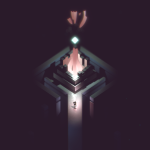
When you die in Below, you go all the way back to the beginning. You’ll lose all progress. To keep from having to repeat areas, you can create checkpoints at any fire.
- Checkpoints: Spend 25 shards to turn a campfire blue. You can now teleport to the checkpoint from any campfire. The checkpoint can only be used once. After teleporting to the checkpoint, it will turn back into a normal campfire. Create checkpoints sparingly.
- Shortcuts: Shortcuts are permanent teleport spots that are found after major encounters in the environment. You can’t miss them — just keep going down, and you’ll eventually discover shortcuts.
Checkpoints are pretty expensive. Shards are required to light your torch, so keeping a stack of 25 extra shards can be difficult. You can farm shards by killing enemies, then dropping them into your hideout stash.
The hideout stash is unlocked when you reach Floor 3. This allows you to store extra items at any campfire — any campfire at all. Placing items in storage will keep them safe, and it makes it much easier to save up a large supply of shards for a checkpoint. Dump extra shards into storage when you think you’ve got enough, and then use them at later campfires. Don






