
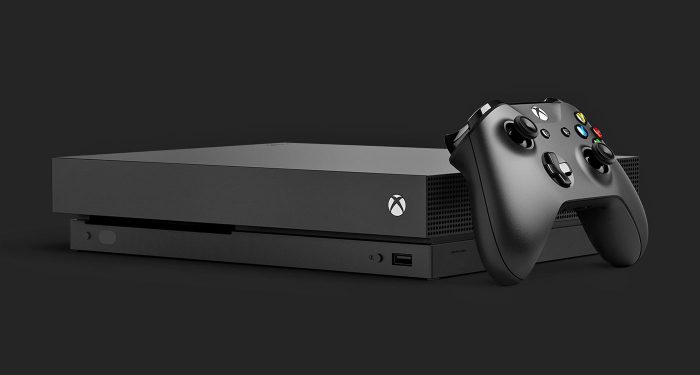
Microsoft has just released a new patch for their entertainment console, The Xbox One. The update introduces a couple of exciting new features – one of which is the FastStart option for selected games which essentially allows for quicker access into the game. The feature is essentially run by an AI which determines what files will be needed first when you enter into the game. It’s a pretty awesome addition, especially if you are a games pass subscriber. Another notable feature is Groups for games and apps, which allows you to organise your content into ‘folders’ which will allow you to keep your dashboard neat and clean.
Check out the full list of changes down below:
More Search Options
Searching for content is now even easier! Now pressing the Y button anywhere in the dashboard will bring up the search dialog, allowing you to easily launch your content, sift through Settings, or find products in the Store. This process is found in many apps, but now you can do it anywhere within the dashboard. Not seeing enough results for your search? Hit enter or click the “more results” button to view a full page for your search results.Mixer Share Controller Improvements
We’ve made it easier to use Share Controller on the web. First, we’ve enabled full mouse and keyboard support for PC users, along with Share Controller Key Bindings.Second, we’ve added multi-touch support for touch-enabled devices. This allows multiple controls to be used at the same time! For example, you can control the joystick and press A at the same time on your touch laptop.
And lastly, we’ve added a per-channel leaderboard that spotlights viewers who have contributed to a streamer’s channel the most during a Share Controller session.
Full Screen Broadcasting on Mixer
Mixer streamers can now go full screen with their webcam while broadcasting. You can switch to full screen webcam broadcasting at any time you want. While in this mode game audio is muted, making it perfect for talking to your audience while switching from game to game or setting up before you start playing. You can even do all IRL broadcasts!For the best experience we recommend using one of these cameras:
- Microsoft LifeCam Studio
- Logitech HD Pro Webcam C922
- Logitech Webcam C930e
- Microsoft LifeCam HD-3000
Console broadcasting quality and stability improvements
We’ve made a number of changes and fixes to improve overall broadcast video quality. You will now experience improved performance when broadcasting bandwidth-heavy multiplayer.All of these updates are available because of the Xbox Insiders who have helped shape these features, so big thanks to all of you for your valuable input. If you’d like to help create the future of Xbox and get access to early features, download the Xbox Insider Hub app on your Xbox One or Windows 10 PC. You can also visit the Xbox Insider blog here for the latest release notes and to learn more. Happy gaming!
FastStart Enabled for Select Titles
Announced back at E3 2018, FastStart is a new innovation from our Xbox Platform team that allows you to jump into your games twice as fast and play after downloading just a fraction of it. FastStart works by identifying which files are needed to begin playing and prioritizes the download of those files first, enabling you to quickly jump into full-fidelity gameplay while the remainder of your title downloads in the background. Simply find the FastStart-enabled title you want to play in our catalog, hit ‘Download’ and your console will take care of the rest. It’s that simple. What’s more, it’s now enabled for select English language titles in our Xbox Game Pass catalog, and will expand to more games in more languages over time. You can learn more about FastStart here.Group Your Games and Apps
With so much content available, fans have asked for more options to organize libraries of games and apps. Today, we’re introducing a powerful new enhancement to Pins, which we call “Groups.” With Groups, you can create multiple collections of content made up of anything from within My Games & Apps. You can also assign custom names to each Group, organize and order them, and add individual Groups to Home. Groups will appear across My Games & Apps, Home and Guide, so you’ll be able to access your Groups at a moment’s notice. Best of all, Groups are tied to your Xbox Live account, so they will automatically sync across multiple Xbox One consoles. We’ve started you off with a Group that should look very familiar — your Pins!
What feature are you most keen to try out? Let us know in the comments down below.





