
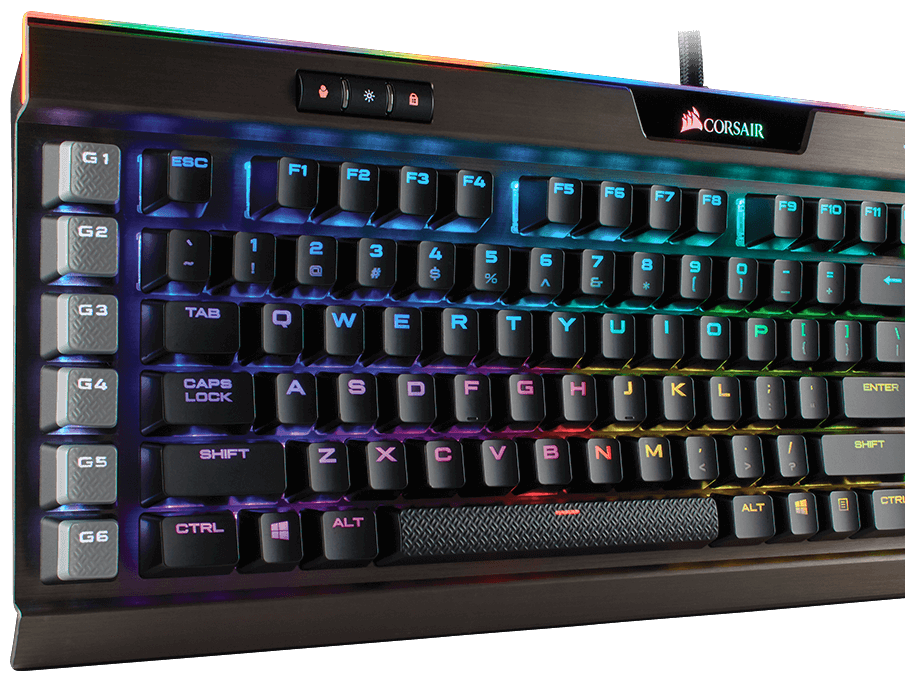
Corsair’s flagship keyboard, the K95 RGB Platinum, might as well be called the Aston Martin of keyboards. It has all the bells and whistles you’d come to expect from a high-end piece of gear, and then some.
Easily the best-looking keyboard on the market, the K95 is made of sturdy aluminum and offers more lighting than any of its competitors with a light bar at the top and fully programmable lighting settings. With 16.8 million color options and downloadable color schemes that’ll allow you to represent your gaming clan at a LAN center or your favorite game (ours is Overwatch), there’s little you can’t customize within the provided Corsair Utility Engine software. You can even save up to three color profiles to the keyboard’s onboard memory so you can uninstall the software entirely and still keep your settings, if that’s your jam.
 But that might not be enough to get you to want it, especially if you already own a gaming keyboard. So what makes it so special?
The keys, of course. Armed with Cherry’s latest MX Speed switches, the keys are not only highly responsive, but fun to type on as well. There’s a bit of a clickety clack sound going on, but it’s especially pleasing for mechanical keyboard lovers without being annoying—though we do recommend plugging in a microphone close to your mouth that doesn’t pick up the sound of your keyboard. However, it’s nothing some O-rings won’t fix.
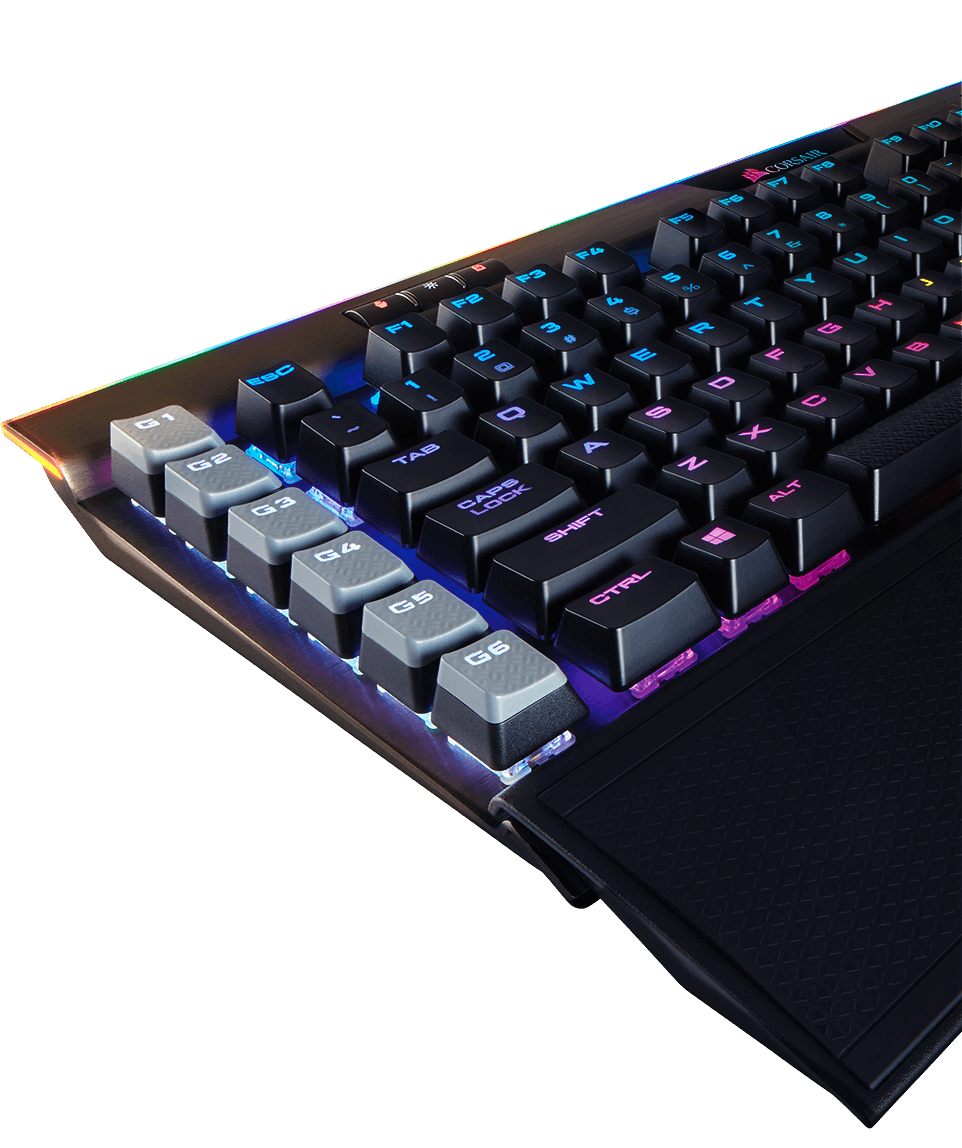
The K95 RGB Platinum differs quite a bit from its predecessors from Corsair. They’ve cut down the macro keys to 1/3rd the number so it won’t take up as much space on your desktop with a single column. It’s just enough for most gamers, especially as MMORPGs requiring lots of macros are on the wane.
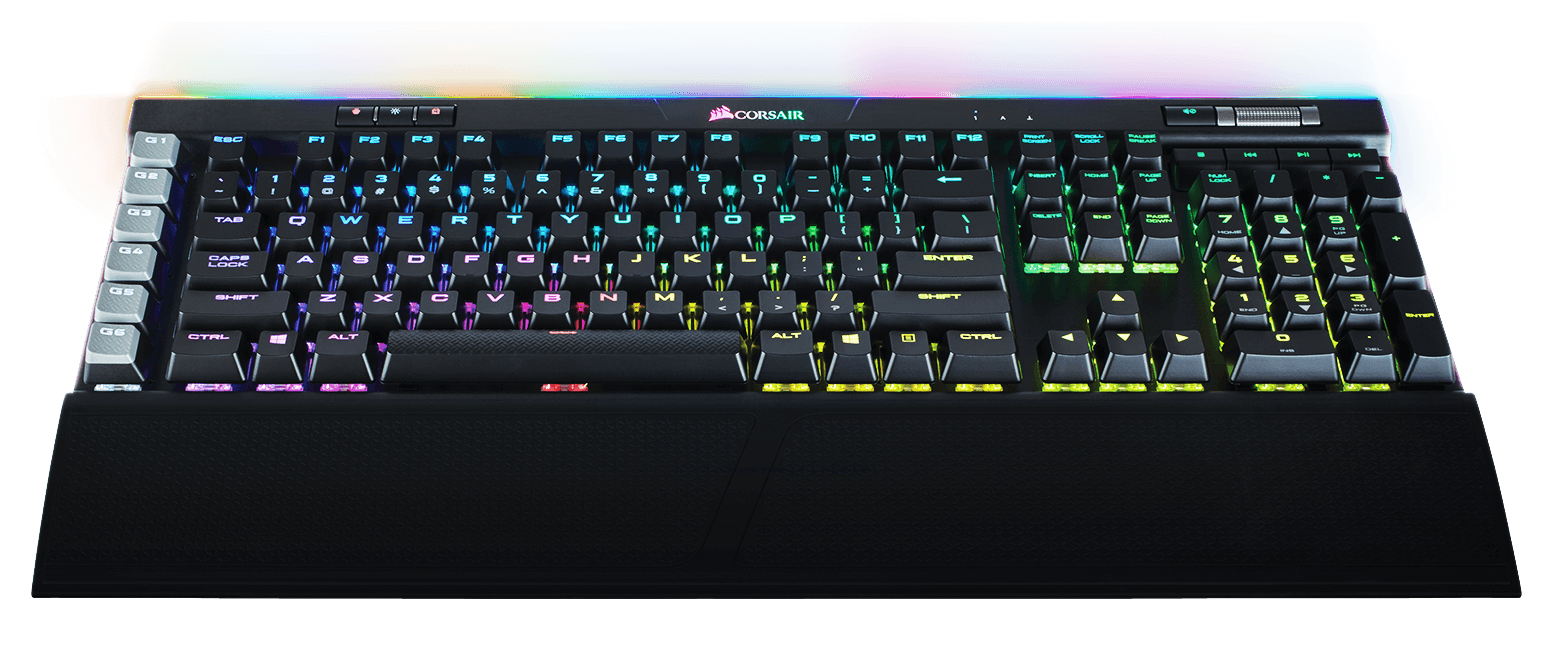 That said, the keyboard offers functionality aplenty as you’ll be able to control your system volume with a metal wheel, a set of media keys, and lighting buttons. You can also lock the Windows key from being used, so you don’t accidentally tab to desktop.
 Functionality aside, the K95 RGB Platinum comes with a comfortable rubber wrist rest with a smooth micro finish on one side and a rougher texture on the other. It sticks to the base with magnets, so you can swap the sides without any hassle. As with anything rubber, it’ll collect dust—but fortunately, it’s easy to wash.
The underside of the keyboard offers a cable management system for you to route your headset wire or anything else plugged into the USB passthrough, making desktop management a breeze.
At the asking price of $199, the Corsair K95 RGB Platinum is a premium keyboard. It’s worth every penny.
Disclosure: A unit was provided for review.